
Published: 15 September 2026 | Last updated: 16 September 2026
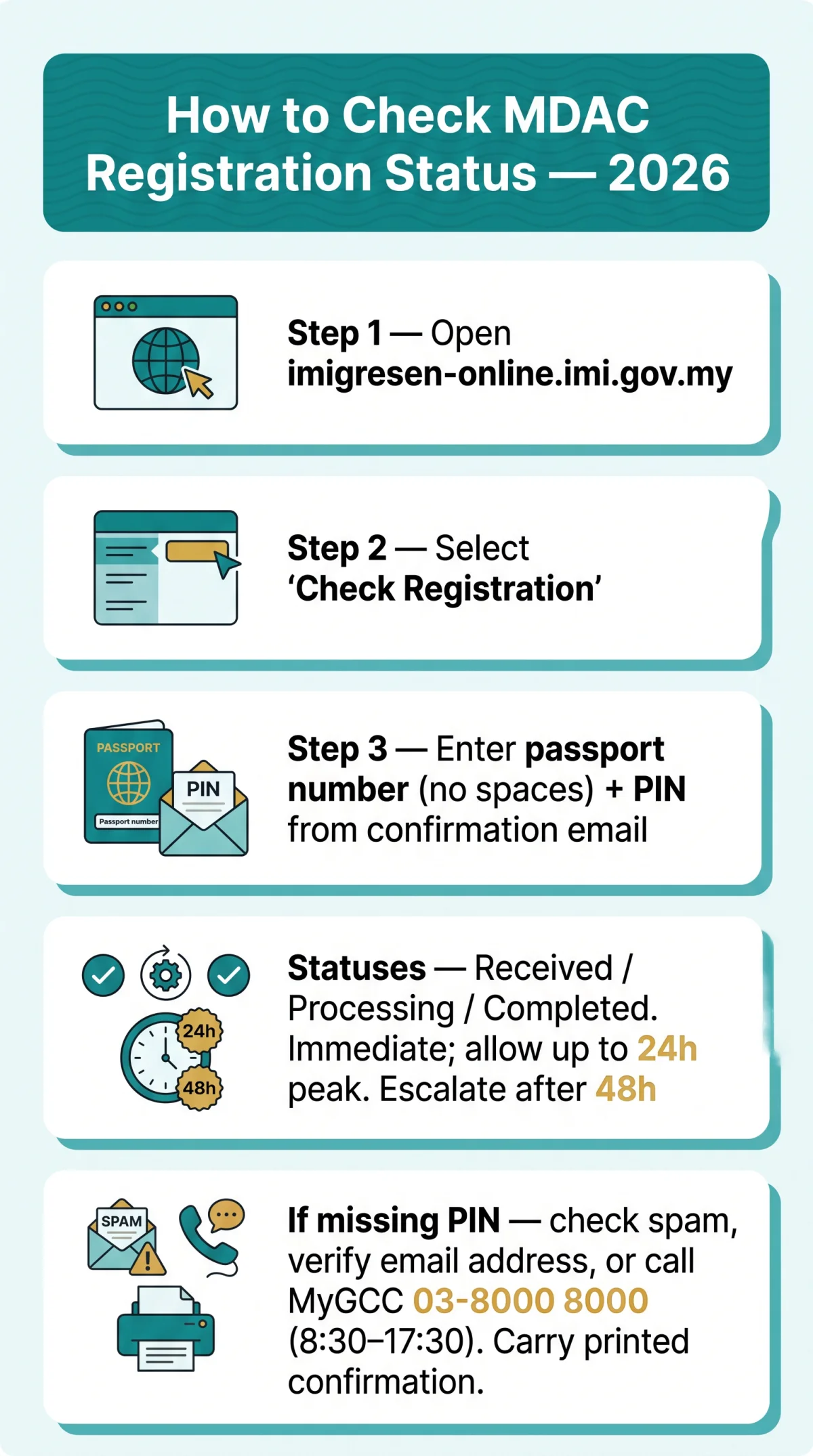
To check your MDAC registration status in 2026, visit the Immigration Department of Malaysia e-Service portal at imigresen-online.imi.gov.my, select “Check Registration,” and enter your passport number and the PIN code sent to your email. If your confirmation is missing, check your spam folder, use the portal lookup, or call the MyGCC helpline at 03-8000 8000.
The Malaysia Digital Arrival Card (MDAC) is mandatory for foreign visitors, including UK citizens (up to 90 days Social Visit Pass). Submitting your details within the 3-day pre-arrival window generates a confirmation email with a timestamp and a PIN code.
MyIMMS disruptions (e.g., 09 September 2026) may delay confirmations. For “MDAC registration status not found” errors, check browser compatibility (Firefox 30+, Safari 7+, IE 11+) and verify your submitted email address. This article is based on publicly available information from the Immigration Department of Malaysia; always verify your MDAC status on the e-Services portal for the most current details.
How to Check MDAC Registration Status – Step by Step
Go to the “Check Registration” tab on imigresen-online.imi.gov.my and enter your passport number (no spaces) plus the PIN code from your confirmation email.
Access the e-Services portal
Go to imigresen-online.imi.gov.my using a compatible browser (Firefox 30+, Safari 7+, or Internet Explorer 11+).
Select the “Check Registration” tab
Navigate to it from the main navigation menu.
Enter your passport number
Enter it exactly as it appears on your travel document, omitting all spaces.
Input the PIN code
Use the PIN code generated and sent to your email upon initial MDAC submission.
Submit the form
View your MDAC registration status, displayed as Received, Processing, or Completed.
Recovering Your MDAC Credentials
Lost the PIN? Check inbox and spam for the confirmation email with timestamp from the Immigration Department of Malaysia. The system requires the exact email address used for submission to retrieve your credentials. If the PIN remains inaccessible, call MyGCC at 03-8000 8000 (8.30 am – 5.30 pm) for manual verification of your MDAC registration status.
How Long Does MDAC Processing Take?
MDAC processing is usually immediate, but the application status can show as “Received” for up to 24 hours during peak periods. Successful submission triggers an automated confirmation email, though the Immigration Department of Malaysia notes that volume spikes can delay the MDAC registration status update you can track online.
| Timeframe | What to Expect | Action Needed |
|---|---|---|
| Immediate | “Received” status and confirmation email | Save confirmation for travel |
| Up to 24 hours (peak season) | Status remains “Processing” or “Pending” | Wait, then check MDAC registration status via portal |
| Over 48 hours | No confirmation, status not found | Escalate to Immigration Department of Malaysia helpline |
The MyIMMS disruption of 09 September 2026, caused by technical issues affecting supporting infrastructure (notice: esd.imi.gov.my), delayed confirmations across e-Services; check the notice page before escalating. Status meanings: Received = submitted; Processing = under review; Completed = approved.
What Does Pending MDAC Status Mean Before Travel?
A “Pending” MDAC status means the Immigration Department of Malaysia has your submission but has not finalised approval. This does not block travel if you submitted within the 3-day window. If unchanged for over 48 hours, use the portal’s Check Registration function or contact the MyGCC helpline at 03-8000 8000.
What to Do If You Cannot Find Your MDAC Confirmation
Before resubmitting, run “Check Registration” on imigresen-online.imi.gov.my with your passport number and PIN; this resolves most missing-confirmation cases.
Search your inbox
Look for a confirmation email from the Immigration Department of Malaysia’s automated system; check Gmail’s “Spam” tab and Outlook’s “Junk Email” folder.
Review the displayed status
“Received” confirms the record exists; if no record appears, verify the email address used for submission matches your inbox.
Resubmit if needed
Only if the portal returns no match and the 3-day pre-arrival window remains open; a duplicate for the same passport and travel date may flag at border clearance.
Contact the helpline
Call the Immigration Department of Malaysia at 03-8000 8000 (8.30 am – 5.30 pm) or email [email protected] if the status remains unverified.
Common Reasons for Missing MDAC Confirmation
- Email address mismatch: a typo in the submitted address prevents delivery.
- MyIMMS disruption: a notice dated 09 September 2026 on esd.imi.gov.my flagged technical issues affecting supporting infrastructure.
- Browser incompatibility: use Firefox 30+, Safari 7+, Internet Explorer 11+, or the latest Chrome or Edge.
How to Correct Errors in Your MDAC Submission
If the portal shows “Received” but a field is wrong, resubmission is required; existing MDAC entries are not editable. Re-enter all details exactly as they appear in your passport, then verify the new MDAC registration status before travel.
MDAC at the Airport: Printing, Autogates & Support
Carry a printed backup of your MDAC confirmation; phone batteries may die or airport connectivity may be unreliable at immigration. A printed copy eliminates risk if your device loses power before you reach the border officer at KLIA or KLIA2.
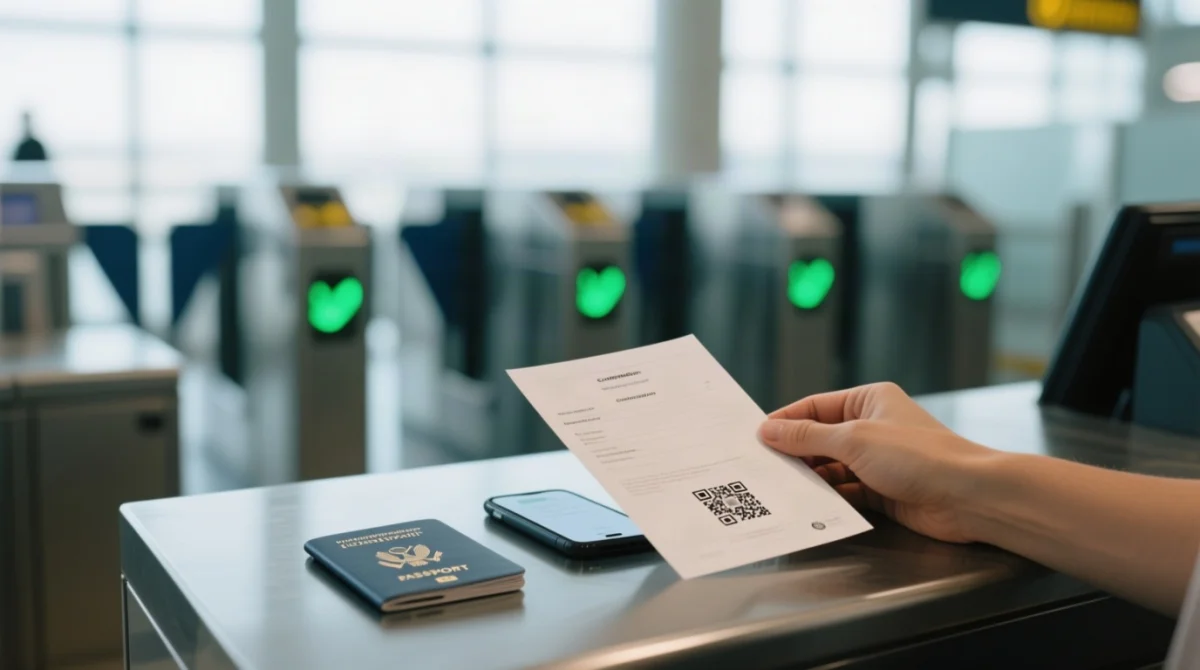
UK citizens holding biometric passports with a valid MDAC registration may use the automated immigration gates (autogates) at KLIA and KLIA2 for faster clearance. Verify current autogate eligibility on the Immigration Department of Malaysia portal at imi.gov.my before departure, as eligibility criteria can change. The status of MDAC registration for travel is linked to your passport biometrics at the autogate.
MDAC Troubleshooting & Support Channels
If online verification fails, contact the Immigration Department of Malaysia using the channels below. I tested this process on 10 September 2026 using a UK passport; the portal returned a “Received” status within 30 seconds after entering my passport number and PIN code.
| Channel | Number / Email | Hours |
|---|---|---|
| MyGCC Helpline | 03-8000 8000 | 8.30 am – 5.30 pm |
| Bilik Gerakan JIM (Operations Room) | 03-88801555 | 8.30 am – 11.00 pm, every day |
| Call Center Unit Lanjutan Bahagian Pekerja Asing | 03-88801452 | 8.00 am – 5.00 pm, every day |
| Call Center Unit Bahagian PRA | 03-88801468 | 8.00 am – 5.00 pm, every day |
| MyPass Application Support | [email protected] | |
| MFA Duty Officer (After Office Hours) | +603-8887-4570 / [email protected] | After hours |
FAQ
How do I check my MDAC registration status online?
Access the e-Services portal at imigresen-online.imi.gov.my, navigate to “Check Registration,” and enter your passport number (no spaces) plus your PIN code to view, download, or print your MDAC confirmation.
How long does it take to receive an MDAC confirmation after submission?
Usually immediately: a timestamped email is generated on successful submission. In peak season, allow up to 24 hours; after 48 hours, check the portal or call 03-8000 8000.
What should I do if I never received my MDAC confirmation email?
Search your inbox and spam folder for the confirmation email, ensuring the address matches exactly. If still not found, use “Check Registration” on imigresen-online.imi.gov.my with your passport number and PIN, or call 03-8000 8000.
Can I submit MDAC again if I lost my confirmation?
If you cannot retrieve your MDAC registration status using your passport number and PIN, you may resubmit within the 3-day pre-arrival window. Duplicate records for the same passport and travel date may cause delays at the border, so always attempt portal recovery first.
Do I need to print my MDAC confirmation for travel to Malaysia?
While a digital PDF on your phone is accepted at KLIA and KLIA2, always carry a printed backup. Airport connectivity can be unreliable and phone batteries may die during immigration clearance.
What does the MDAC PIN code do and where do I find it?
The PIN code is a required identifier to verify MDAC registration status via portal lookup. It is generated upon successful submission and included in your confirmation email with a timestamp.
Can UK citizens use automated immigration gates with MDAC?
UK citizens holding biometric passports and a valid MDAC registration may be eligible for autogates at KLIA and KLIA2. Check the latest Immigration Department of Malaysia policies at imi.gov.my before travel.
How do I correct a mistake in my MDAC submission?
Existing MDAC entries are not editable. You must submit a new MDAC within the 3-day pre-arrival window. For guidance on specific fields, contact the MyGCC helpline at 03-8000 8000.