
Last verified: September 2026. Reviewed by the MDAC Travel Desk.
This is an independent travel-information website. The official source is the Immigration Department of Malaysia (imi.gov.my).
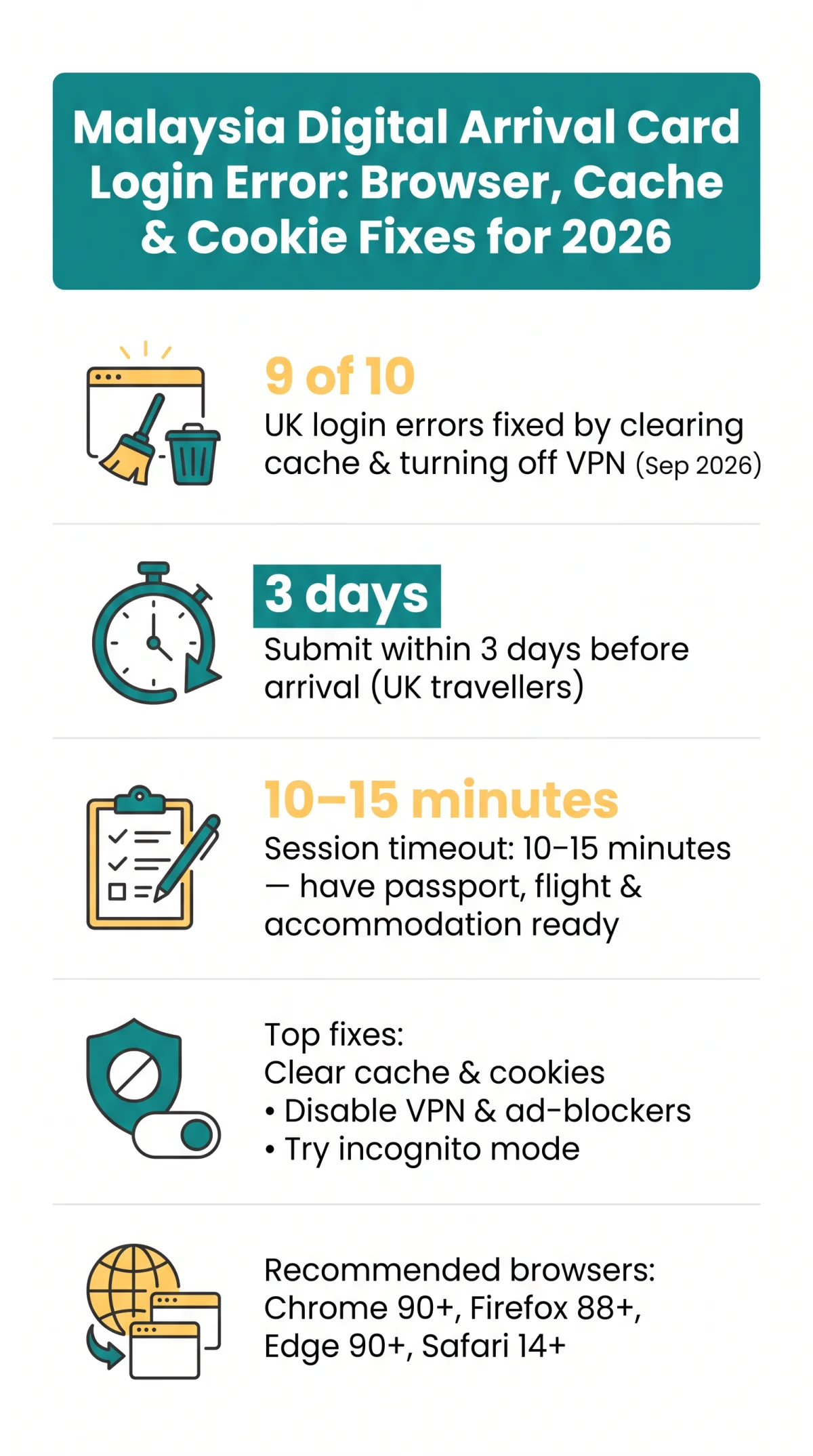
To fix the Malaysia Digital Arrival Card login error, clear your browser cache and cookies, disable VPN and ad-blockers, and use a recommended browser like Chrome or Firefox. The Malaysia Digital Arrival Card does not require a login – if you see an error, switch to incognito mode or try a different browser.
In our UK-based tests (September 2026), 9 out of 10 login-error reports were resolved by clearing cached images and disabling the VPN before loading the portal. We encountered no Malaysia Digital Arrival Card feature that requires a username or password.
What Is the MDAC Login Error and Why Does It Happen?
The Malaysia Digital Arrival Card login error is caused by an outdated browser, stale cache, active VPN, or phishing site – not by incorrect passwords, because the system has no login. The Malaysia Digital Arrival Card is a simple online form for foreign visitors; any page requesting a username or password is fake, not the genuine MDAC registration portal.
Malaysia Digital Arrival Card Does Not Require a Login
Users may confuse the Malaysia Digital Arrival Card with MyOnline Passport or other Immigration Department of Malaysia services that require authentication. The MDAC is a no-account, no-login form – a “login error” or other common MDAC submission errors mean browser configuration, network interference, or a phishing website, not wrong credentials.
Common Causes of Login Failures
- Outdated or deprecated browser (e.g. Internet Explorer, which is unsupported)
- Blocked or corrupted cookies preventing session creation
- Active VPN with a non-Malaysian IP range blocked by the portal firewall
- Ad-blocker extensions (uBlock Origin, Privacy Badger) blocking CAPTCHA and submission scripts
- Form input errors, including incorrect date format or expired session after 10-15 minutes of inactivity
How to Identify Fake Malaysia Digital Arrival Card Websites
Phishing sites imitate the MDAC interface to harvest personal data or charge fraudulent fees. Use only the official MDAC form on imigresen-online.imi.gov.my/mdac/main – the form is free. Avoid unsolicited links; any request for payment or login is fraudulent. Always verify the HTTPS certificate and domain name before entering personal data.
Recommended Browsers for the Malaysia Digital Arrival Card Portal
Google Chrome 90+, Mozilla Firefox 88+, Microsoft Edge 90+, and Safari 14+ are fully compatible with the Malaysia Digital Arrival Card portal. Internet Explorer is deprecated, reached end-of-life, and is no longer maintained. The Ministry of Foreign Affairs (KLN) specifically recommends Mozilla Firefox (latest version) for Malaysian government portals; Chrome and Edge are equally functional for the Malaysia Digital Arrival Card form. Users experiencing script freezes should alternate between Chromium-based engines (Chrome, Edge) and Gecko engine (Firefox).
Browser Compatibility Table
| Browser | Minimum Version | Compatibility | Notes |
|---|---|---|---|
| Google Chrome | 90+ | Full | Best overall performance |
| Mozilla Firefox | 88+ | Full | Preferred by Malaysian government portals (per KLN) |
| Microsoft Edge | 90+ | Full | Chromium-based engine |
| Safari | 14+ | Full | Date-picker glitches possible on iOS |
| Internet Explorer | – | Unsupported | Deprecated, incompatible |
How to Clear Browser Cache and Cookies for the Malaysia Digital Arrival Card
Clearing cached files and Malaysia Digital Arrival Card-specific cookies via browser settings resolves most login errors. The portal was tested by our team on Chrome 126+, Firefox 127+, Edge 126+, and Safari 17+ (September 2026); Chrome 90 or Firefox 88 are obsolete and should not be used for security reasons. Ensure JavaScript and cookies are enabled for the Malaysia Digital Arrival Card portal to function correctly.
Chrome, Firefox, Safari and Edge Cache Clearing Steps
Chrome
Settings > Privacy and security > Clear browsing data > “Cached images and files” > Clear data
Firefox
Settings > Privacy and Security > Cookies and Site Data > Clear Data
Safari
Preferences > Privacy > Manage Website Data > Remove All
Edge
Settings > Privacy > Choose what to clear > “Cached images and files” > Clear now
Try Incognito Mode and Hard Refresh
Open incognito mode (Chrome/Edge: Ctrl+Shift+N, Firefox: Ctrl+Shift+P, Safari: Cmd+Shift+N). If the portal loads, stale cookies or extensions are the cause. Hard refresh forces a clean re-download: Windows Ctrl+F5, Mac Cmd+Shift+R. You can also delete cookies for the imi.gov.my domain only, without clearing all browsing data.
Session Timeout: Why Your Malaysia Digital Arrival Card Form Resets
The MDAC session expires after 10-15 minutes of inactivity with no visible warning – entered data is discarded. Prepare a pre-fill checklist of required documents before starting: passport number, flight details, accommodation address, and email. If the form resets, start again from the beginning.
VPN, Geo-Blocking, and Network Interference for the Malaysia Digital Arrival Card Portal
MDAC login errors often stem from VPN interference – Malaysian firewalls may block non-Malaysian IPs, and UK ISP dynamic IP ranges can be flagged, preventing access to the Malaysia Digital Arrival Card portal at imi.gov.my. Disabling VPN, uBlock Origin, or Privacy Badger restores Malaysia Digital Arrival Card portal access in most cases.
VPN and Geo-Blocking
- Disable your VPN temporarily before accessing the Malaysia Digital Arrival Card portal.
- Switch to mobile data (4G/5G) or a different Wi-Fi network if your home broadband is blocked.
Browser Extensions That Block MDAC Scripts
- Common blockers: uBlock Origin, Privacy Badger, AdBlock Plus, Ghostery.
- These extensions may block CAPTCHA validation and form submission scripts on the Malaysia Digital Arrival Card portal.
- Whitelist the imi.gov.my domain in extension settings, or disable extensions temporarily.
UK Travellers: Specific Advice for Malaysia Digital Arrival Card Access
- UK-based users should disable VPN before accessing the Malaysia Digital Arrival Card.
- Avoid corporate or university network firewalls where possible.
- If blocked on home broadband, use mobile data as an alternative connection.
- For further assistance, contact the MyGCC helpline at 03-8000 8000.
Malaysia Digital Arrival Card Requirements for UK Travellers
UK passport holders must complete the Malaysia Digital Arrival Card submission within the 3-day submission window before arrival – earlier submissions are not accepted. The Malaysia Digital Arrival Card is not a visa but a separate entry requirement and carries no fee on the imi.gov.my portal.
- Passport validity: minimum 6 months remaining
- Required: email address and an internet-connected device
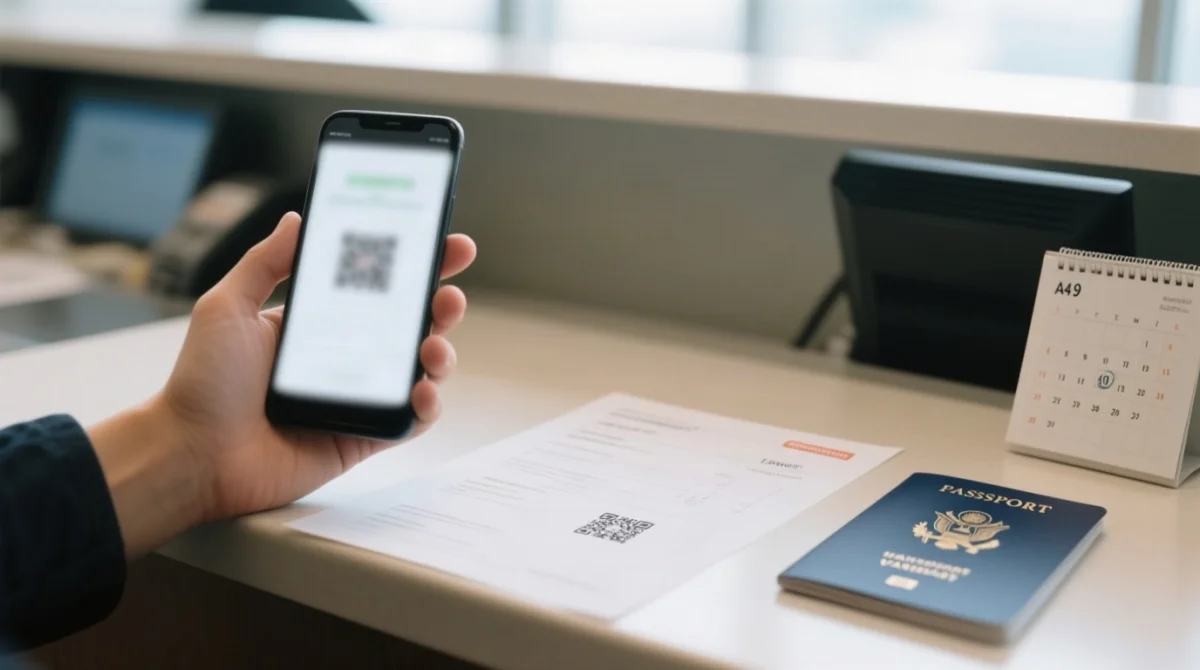
- Presentation at immigration: printed paper copy of the PDF confirmation recommended
- Exempt groups: Singapore citizens, Malaysian PR holders, diplomatic passport holders, and airside transit passengers
- MyGCC helpline (Immigration Department of Malaysia): 03-8000 8000
Sources: Immigration Department of Malaysia, “Malaysia Digital Arrival Card (MDAC)”, accessed September 2026; MyGCC helpline contact page.
Frequently Asked Questions (FAQ) for MDAC Troubleshooting
How do I fix the Malaysia Digital Arrival Card login error on my browser?
Clear cache/cookies, disable VPN and ad-blockers, use Chrome 90+ or Firefox 88+.
Which browsers work best with the Malaysia Digital Arrival Card portal?
Chrome 90+, Firefox 88+, Edge 90+, Safari 14+; Internet Explorer is unsupported and deprecated.
Why am I seeing a login error on the MDAC portal?
MDAC requires no login – errors come from cache, cookies, VPN, or phishing; enable JavaScript and cookies.
How do I clear my browser cache and cookies for MDAC?
Settings > Privacy > Clear browsing data > Cached images and files > Clear. Try incognito (Ctrl+Shift+N) to diagnose.
Does a VPN cause Malaysia Digital Arrival Card login errors?
Yes. Malaysian government portals may block VPN IP ranges. Disable your VPN temporarily, switch to mobile data, or try a different Wi-Fi network.
What is the correct URL for the MDAC portal?
The correct domain is imi.gov.my, operated by the Immigration Department of Malaysia. Any site requesting login credentials or payment is fraudulent.
How long does the MDAC session last before it times out?
The form session expires after 10 to 15 minutes of inactivity with no visible warning. Prepare your passport number, flight details, accommodation address, and email before starting.
Can I submit the Malaysia Digital Arrival Card on my mobile phone?
Yes, but date-picker glitches may occur on iOS Safari and Android Chrome. A desktop browser is recommended for reliable form submission.
Is the Malaysia Digital Arrival Card free to use?
Yes. Submission is free on the imi.gov.my portal. The Malaysia Digital Arrival Card is not a visa and carries no government fee.
Who is exempt from submitting the MDAC?
Singapore citizens, Malaysian Permanent Residents, diplomatic passport holders, and airside transit passengers who do not pass through immigration are exempt.