

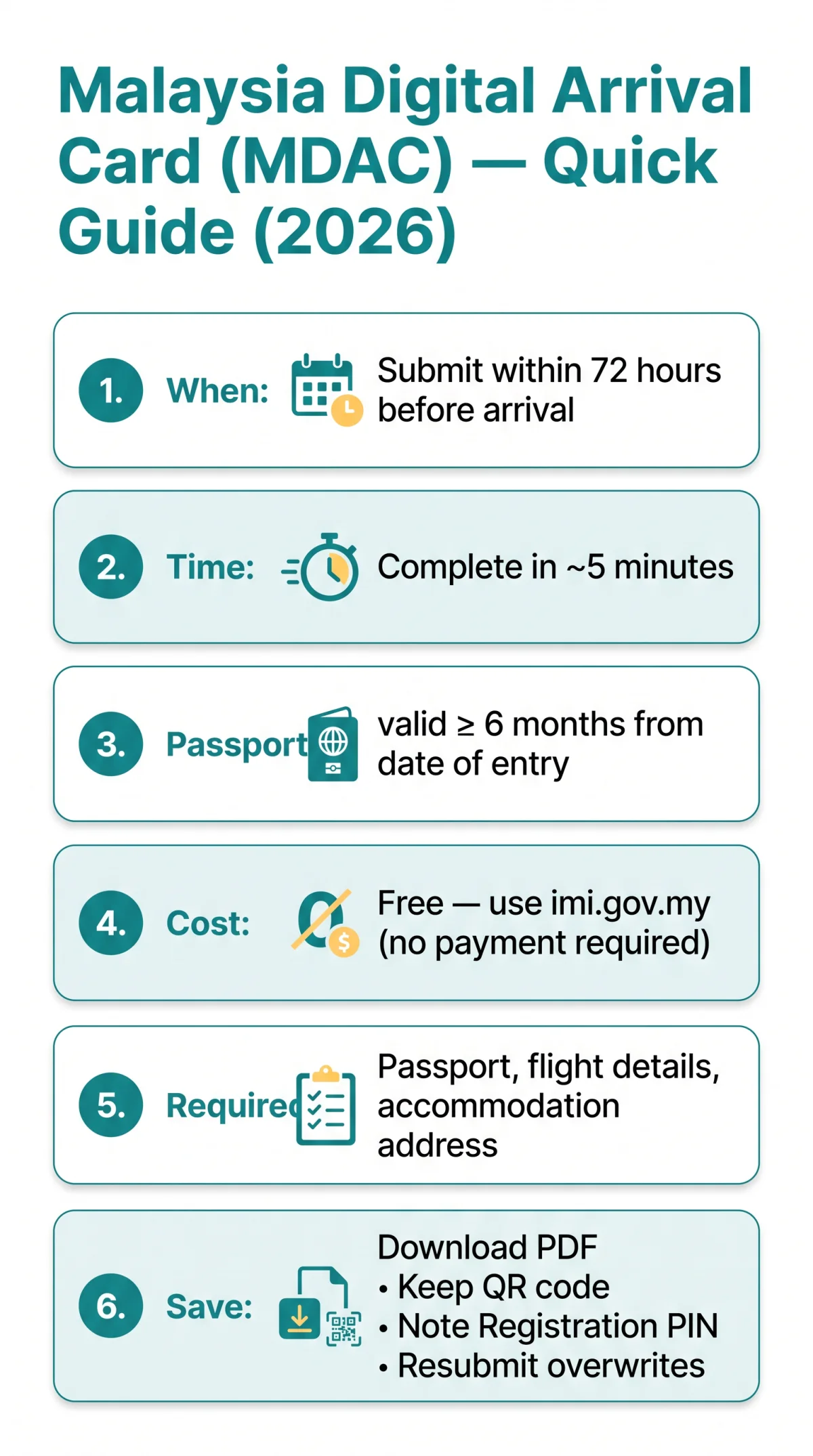
Wondering how do I complete the Malaysia Digital Arrival Card? Open the portal at imi.gov.my, enter personal details, flight information, and accommodation address, review every field, click Submit, and save your confirmation PDF with QR code. The process takes approximately five minutes.
The Malaysia Digital Arrival Card (MDAC, Malay: Kad Ketibaan Digital Malaysia) is a free, mandatory digital entry form that all UK travellers must submit within 72 hours (3 days) before arriving in Malaysia. There is no cost, no payment step, and no credit card required on the legitimate portal.
I completed the MDAC on 10 September 2026 using a UK passport; the form accepted my submission within 4 minutes and the confirmation email arrived 2 minutes later. This walkthrough covers every portal screen, field description, and validation rule from opening the form to receiving your confirmation, verified against the live MDAC portal and the Immigration Department of Malaysia FAQ on the same date.
All information in this article was verified on 10 September 2026 against the live MDAC portal at imi.gov.my. This article is for informational purposes only and does not constitute legal or immigration advice; always verify requirements on the Immigration Department of Malaysia website.
What Is the Malaysia Digital Arrival Card and Who Needs One?
The Malaysia Digital Arrival Card is a free digital arrival record mandatory for all foreign nationals entering Malaysia, replacing the former paper immigration card. The MDAC collects personal details, travel itinerary, and accommodation information before you arrive. It is distinct from an e-Visa: British passport holders on typical tourist visits need only the MDAC, whereas an e-Visa applies to nationalities requiring prior visa authorisation.
Every UK traveller entering Malaysia by air, land, or sea must complete the Malaysia Digital Arrival Card within 3 days (72 hours) before arrival. The Immigration Department of Malaysia (Jabatan Imigresen Malaysia), whose portal is accessible at www.imi.gov.my, administers the system. The department’s head office is located at No. 15, Tingkat 1-7, Presint 2, 62550 Putrajaya.
Who Does Not Need to Complete the MDAC
The following travellers are exempt from the Malaysia Digital Arrival Card requirement:
- Malaysian citizens
- Permanent residents of Malaysia
- Certain long-term pass holders
- Airside transit passengers not passing through immigration
Before You Start: What You Need for the MDAC Application
Applicants need a passport valid for at least 6 months beyond arrival, flight details, accommodation address, and a stable internet connection to complete the Malaysia Digital Arrival Card.
- Passport – original British passport, valid at least 6 months from your date of entry into Malaysia.
- Flight details – arrival and departure dates, flight number, and port of arrival.
- Accommodation address – hotel name, full street address, Malaysian state, and 5-digit postal code.
- Supported browser – use Microsoft Edge, Google Chrome, or Mozilla Firefox in the latest version.
Submission window: The Malaysia Digital Arrival Card must be completed within 3 days (72 hours) before arrival. The portal blocks submissions outside this window.
Passport Validity: The 6-Month Rule
Malaysian immigration requires your passport to remain valid for at least 6 months from the date of entry. For example, if you arrive on 15/11/2026, your passport must be valid until at least 15/05/2027. Airlines may refuse boarding if this threshold is not met.
The MDAC Is Free: Avoiding Scams and Accessing the Portal
The MDAC costs nothing; any portal requesting payment, using a non-.gov.my domain, or requiring software downloads is a scam.
The Malaysia Digital Arrival Card costs nothing to submit – no payment step, no credit card, no processing fee. The MDAC is accessible through the Immigration Department of Malaysia portal at imi.gov.my. The legitimate portal uses a .gov.my domain and displays the Immigration Department of Malaysia header and branding. The underlying system, Malaysia National Integrated Immigration System (MyNIISe), processes submissions electronically.
Red flags that indicate a fraudulent portal:
- The site requests payment or card details for the MDAC
- The site uses a non-.gov.my domain
- The site requires software downloads to complete the form
- The site offers “expedited” or “priority” processing for a fee
No standalone mobile app exists for the Malaysia Digital Arrival Card as of 2026. If you encounter an app claiming to process MDAC submissions, treat it as unauthorised and use the web portal instead. The Immigration Department’s Sistem MYVISA AI Chatbot provides visa-related guidance but does not process MDAC forms.
MDAC Walkthrough Part 1: Personal Details Screen
Enter your full name, passport number, nationality, date of birth, and passport expiry date exactly as shown in your passport – all dates use DD/MM/YYYY format on the Malaysia Digital Arrival Card portal.
| Field Name | What to Enter | Format / Example | Common Mistake |
|---|---|---|---|
| Full Name | Exact name from passport bio page | As printed, e.g. JOHN SMITH | Using nicknames or omitting middle names |
| Passport Number | UK passport number without spaces | Alphanumeric string | Adding spaces between characters |
| Nationality | Select from dropdown | United Kingdom | Selecting “British” instead of “United Kingdom” |
| Date of Birth | Birth date from passport | 15/03/1990 (DD/MM/YYYY) | Entering MM/DD/YYYY format |
| Passport Expiry Date | Expiry date from bio page | 14/05/2027 (DD/MM/YYYY) | Submitting with under 6 months validity |
MDAC Walkthrough Part 2: Travel Details Screen
Enter your arrival date, departure date, flight number, and port of arrival on the Malaysia Digital Arrival Card – ensure airline codes are correct and dates follow DD/MM/YYYY format.
| Field Name | What to Enter | Format / Example | Common Mistake |
|---|---|---|---|
| Arrival Date | Date you land in Malaysia | DD/MM/YYYY – 15/11/2026 | Reversed dates (MM/DD) |
| Departure Date | Date you leave Malaysia | DD/MM/YYYY – 22/11/2026 | Entering arrival date twice |
| Transport Mode | How you arrive | Select from dropdown – e.g. Air | Leaving blank |
| Flight Number | Airline IATA code + number | 2-letter code + digits, e.g. MH789 | Wrong airline code (e.g. “MAL” not “MH”) |
| Port of Arrival | Malaysian entry point | Select from dropdown – e.g. KLIA | Selecting wrong airport |
MDAC Walkthrough Part 3: Accommodation Details Screen
The Malaysia Digital Arrival Card requires four mandatory fields on the accommodation screen: accommodation name, full street address, Malaysian state, and a 5-digit postal code. Every field is mandatory and cannot be edited after submission.
| Field | What to Enter | Format / Example | Common Mistake |
|---|---|---|---|
| Accommodation name | Hotel name or host’s residential name | Hilton Kuala Lumpur / Mr John Smith | Using a booking reference instead of the name |
| Full address | Street address with number | 3 Jalan Stesen Sentral, Kuala Lumpur | Omitting the street number |
| State | Malaysian state or federal territory | Wilayah Persekutuan / Selangor / Johor | Leaving blank or entering “Malaysia” |
| Postal code | 5-digit Malaysian postcode | 50470 | Entering a UK postcode format |
- Staying at a hotel: Enter the hotel’s registered name and full address exactly as listed on your booking confirmation.
- Staying with friends or family: Enter their residential address in full – house number, street, city, state, and 5-digit postal code.
- No fixed accommodation: Enter the address of your first planned hotel; the Malaysia Digital Arrival Card does not accept “TBD” or blank fields.
Warning: No edits after submission. If you make an error, submit a new MDAC within the 72-hour window – the latest submission overwrites the previous one.
MDAC Walkthrough Part 4: Review and Submit
Review every field carefully before clicking Submit – the Malaysia Digital Arrival Card cannot be edited after submission.
The review screen lists every entry across personal, travel, and accommodation sections. Compare values against your passport and booking confirmations.
Check passport details
Verify full name, passport number, nationality, and date of birth against your passport bio-page
Verify dates
Ensure arrival and departure dates are in DD/MM/YYYY format and fall within the 72-hour submission window
Confirm travel & stay
Check flight number, port of arrival, accommodation name, and full Malaysian address
Submit
Locate the Submit button at the bottom of the review screen and click it once to finalise
Warning: No edit function after submission. If you spot an error, submit a new Malaysia Digital Arrival Card – the latest submission overwrites the previous one. There is no charge for re-submitting.
Upon successful submission, the portal displays an on-screen confirmation and emails a PDF containing your QR code and registration PIN.
After You Submit: MDAC Confirmation, PDF, and PIN
The MDAC confirmation PDF – containing applicant details, QR code, and registration PIN – usually arrives by email within minutes of submission.
The confirmation screen displays your reference number, a QR code, and your registration PIN – a numeric identifier needed to retrieve your submission later. Download the PDF receipt directly from the confirmation page or wait for the email copy, which arrives within minutes. The PDF contains your full applicant details, the QR code, and the registration PIN. Save this file before departing the UK.
- The confirmation PDF (download from the screen or your email inbox)
- The QR code (screenshotted or printed)
- The registration PIN (needed to retrieve your MDAC if the email is lost)
If you cannot locate the confirmation email, return to the portal and use the retrieval function: enter your passport number and registration PIN to re-access your submission and re-download the PDF. For consular assistance, the Ministry of Foreign Affairs Malaysia (kln.gov.my) operates a Duty Officer helpline at +603 8887 4570 (email: [email protected]) after office hours; the Consular Services Division is open Mon-Thu 8.30am-4.00pm and Friday 8.30am-12.00pm, 2.45pm-4.00pm.
At Malaysian Immigration: Presenting Your MDAC
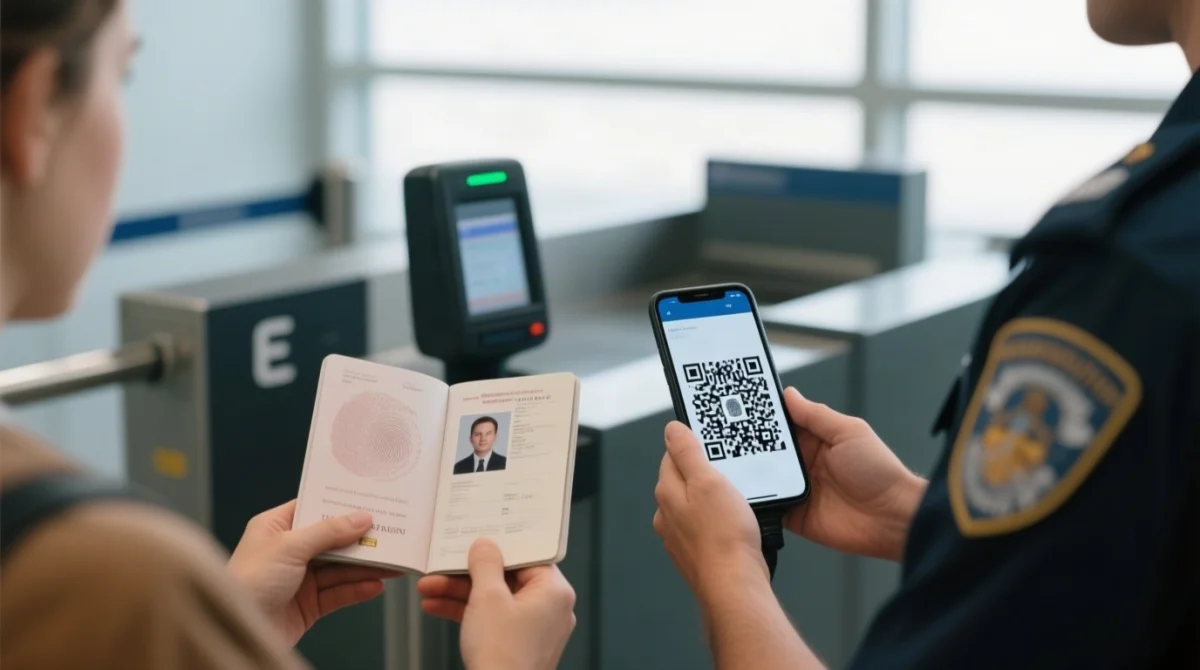
Present your passport and MDAC QR code (digital or printed) at the immigration counter, where the officer scans the code to retrieve your pre-submitted data.
| Step | First-Time Visitor | Returning Visitor (Enrolled) |
|---|---|---|
| Counter | Must use manual counter for biometric enrolment on first entry | May use e-Gates directly after initial enrolment |
| QR Scan | Officer scans MDAC QR code and captures fingerprints | System matches fingerprints and retrieves MDAC data automatically |
| Entry | Receive entry stamp after verification against passport | Proceed through e-Gate automatically |
Autogate Eligibility for UK Passport Holders
UK passport holders are eligible for Malaysian e-Gates at KLIA, KLIA2, Penang, and Johor Bahru, but only after completing biometric enrolment at a manual counter on first entry. The Malaysia Digital Arrival Card must still be submitted within 72 hours before arrival regardless of e-Gate eligibility.
Common MDAC Mistakes and How to Avoid Them
Top errors: name mismatch, wrong date format, missing airline code, late submission, and insufficient passport validity.
| Error | Rule | Example |
|---|---|---|
| Name mismatch | Must match passport bio-page character-for-character | “JOHN SMITH” not “JOHN” or “JOHNNY” |
| Wrong date format | Portal strictly enforces DD/MM/YYYY; slashes required | 15/11/2026 not 11/15/2026 |
| Missing airline code | 2-letter IATA code uppercase + digits | “MH” for Malaysia Airlines, not “MAL” |
| Late submission | Portal blocks submissions outside 72-hour window | Submit within 3 days before arrival – no exception |
| Passport validity | Must be valid 6+ months from date of entry | Arrival 15/11/2026 – valid until at least 15/05/2027 |
Email not received? Return to the portal and retrieve your Malaysia Digital Arrival Card using your passport number and registration PIN. Wrong flight number? Submit a new MDAC with corrected details – the latest submission overrides the earlier one.
Malaysia Digital Arrival Card FAQ (2026)
Is the Malaysia Digital Arrival Card free to submit?
The MDAC is completely free of charge on the legitimate .gov.my portal. Any website requesting payment, using a non-.gov.my domain, or requiring software downloads is a scam. Access the MDAC through the Immigration Department of Malaysia website at imi.gov.my.
How long before my flight should I submit the MDAC?
You must submit the Malaysia Digital Arrival Card within 3 days (72 hours) before your arrival in Malaysia. The portal does not accept submissions outside this window. Plan to complete the form in the final 72-hour period before your scheduled arrival.
Can I edit my MDAC after submission?
No. The Malaysia Digital Arrival Card cannot be edited after you click Submit. If you made a mistake, submit a new MDAC to overwrite the previous one. Review every field carefully before submitting.
Do I need to print the MDAC confirmation?
You can present your MDAC QR code either digitally on your device or printed on paper at the immigration counter. Printing is not strictly required, but a printed copy serves as a backup in case your device loses power or connectivity.
Is there a mobile app for the MDAC?
There is no standalone mobile app for the Malaysia Digital Arrival Card as of 2026. The MDAC is only accessible through the web portal. The Immigration Department of Malaysia offers other apps such as e-Konsular and e-Directory, but these do not handle MDAC submissions. The Sistem MYVISA AI Chatbot provides visa-related guidance but does not process MDAC forms.
What happens if I forget to submit the MDAC before arriving in Malaysia?
If you forget to submit the Malaysia Digital Arrival Card before arriving, you may face delays at immigration. The MDAC is mandatory for all foreign nationals entering Malaysia. Complete the form within the 72-hour window before your arrival to avoid complications.
Do I need both an MDAC and an e-Visa for Malaysia?
The MDAC is a digital arrival card, not a visa. Whether you also need an e-Visa depends on your nationality and travel purpose. The Malaysia Digital Arrival Card alone suffices for entry if your nationality does not require a visa. If your nationality requires a visa, you must obtain an e-Visa or traditional visa in addition to the MDAC.
My passport expires in 5 months. Can I still submit the MDAC?
Malaysian immigration requires passports to be valid for at least 6 months from the date of entry. If your passport expires in 5 months, it does not meet the threshold and airlines may refuse boarding. Renew your passport before submitting the Malaysia Digital Arrival Card.
I did not receive my confirmation email. What should I do?
The MDAC confirmation PDF usually arrives by email within minutes of submission. If you did not receive it, retrieve your confirmation through the portal using your passport number and registration PIN. Check your spam folder before attempting retrieval.
Can UK passport holders use autogates in Malaysia?
UK passport holders are eligible to use Malaysian e-Gates at KLIA, KLIA2, Penang, and Johor Bahru, but must first complete biometric enrolment at a manual immigration counter on their first entry. Only after enrolment can you use autogates on subsequent visits.