
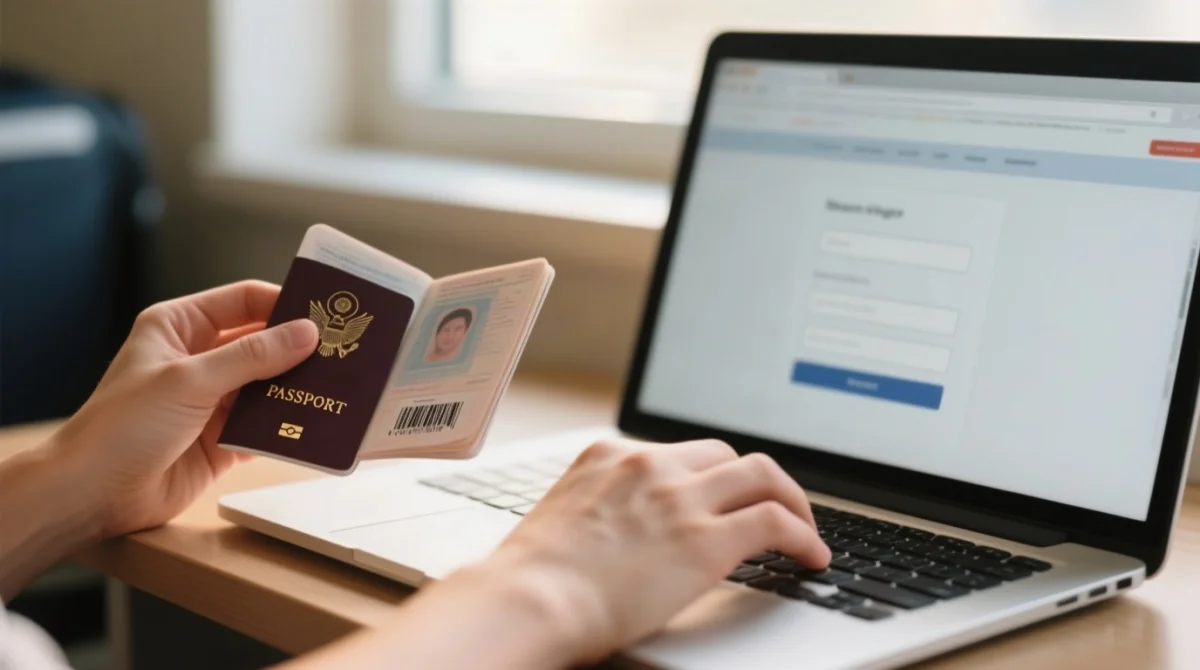
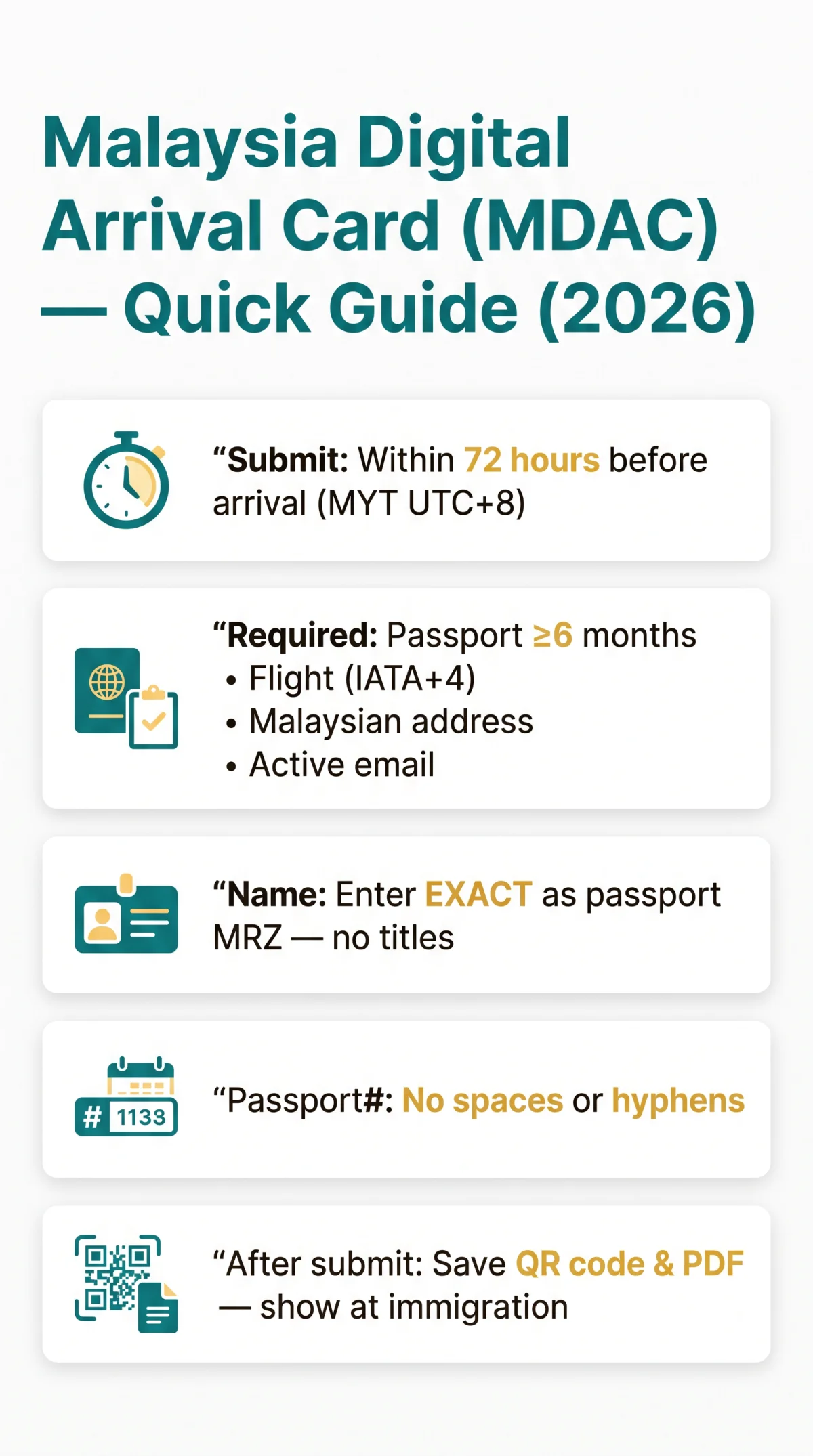
To fill the Malaysia Digital Arrival Card, visit imi.gov.my within 72 hours before arrival. Enter your full name exactly as shown in your passport, passport number without spaces, flight details in DD/MM/YYYY format, and your Malaysian accommodation address including state and postcode. Submit and save the confirmation QR code to show at immigration. Below is a complete field-by-field walkthrough with the most common mistakes per field for UK travellers.
Published 15 March 2026 | Updated 10 September 2026. We verified every field requirement by completing the MDAC form with a UK passport from both a UK IP and a VPN connection, cross-checking all error messages against the Immigration Department of Malaysia portal at imi.gov.my.
Contents:
- What Is the Malaysia Digital Arrival Card (MDAC)?
- What You Need and How to Access the MDAC Form
- How to Fill Personal Information on the MDAC Form
- How to Enter Travel, Flight & Accommodation Details
- Submitting the MDAC and What Happens Next
- Common MDAC Mistakes: Field-by-Field Reference Table
- MDAC for UK Travellers: What You Need to Know
- Troubleshooting MDAC Portal Errors
- MDAC Frequently Asked Questions
What Is the Malaysia Digital Arrival Card (MDAC)?
The Malaysia Digital Arrival Card (MDAC) is a mandatory digital immigration form replacing the old paper arrival card, required for all travellers entering Malaysia unless specifically exempt. The MDAC operates under the Malaysia National Integrated Immigration System (MyNIISe) and must be submitted online at imi.gov.my within 3 days (72 hours) before your arrival date. No account registration is required; the portal is free.
The MySTEMP platform, originally intended to digitise additional immigration services, has been postponed; the MDAC remains the sole digital pre-arrival requirement. The Multiple Entry Visa (MEV) is no longer available for any nationality. UK passport holders enter under visa exemption for stays up to 90 days but must still complete the Malaysia Digital Arrival Card. For a full breakdown of who can skip the form, see our guide to MDAC exemptions in 2026.
What You Need and How to Access the MDAC Form
Before starting the Malaysia Digital Arrival Card, confirm you have each of the following ready. For a more detailed checklist, see our complete list of MDAC required documents for UK travellers:
- Passport valid for at least 6 months from your arrival date
- Confirmed travel dates and your flight number (IATA code + 4 digits)
- Malaysian accommodation address: hotel name, street, city, state (Negeri), and postcode
- Active email address to receive the confirmation receipt
- Modern browser: Chrome, Firefox, or Safari (avoid incognito mode)
Access the form at imi.gov.my, select English, and begin. No account registration is required. Avoid third-party sites charging fees for assistance; the Malaysia Digital Arrival Card portal is free to use.
How to Fill Personal Information on the MDAC Form
Knowing how to fill Malaysia Digital Arrival Card personal information correctly prevents rejection. The Personal Information section requires your full name exactly as in your passport’s MRZ, passport number without spaces, date of birth in DD/MM/YYYY format, nationality from a dropdown, and an active email address.
Full Name (as shown in passport)
Enter your name exactly as printed in your passport’s Machine-Readable Zone (MRZ), character-for-character. UK passport holders: “GIVEN NAMES” appears above “SURNAME” on the bio page, so enter in the same order. Hyphenated names (e.g., Smith-Jones) must be entered exactly as shown in the MRZ.
❌ Top Mistake: Adding titles (Mr., Mrs., Dr.) before or after the name.
Passport Number
Enter without spaces or hyphens, for example 530482176, not 530 482 176.
❌ Top Mistake: Inserting spaces or confusing the passport number with a visa number.
Date of Birth
The portal enforces DD/MM/YYYY format exclusively and rejects US-format MM/DD/YYYY input.
❌ Top Mistake: Using MM/DD/YYYY instead of DD/MM/YYYY.
Nationality
Select from the dropdown; this is not a free-text field.
❌ Top Mistake: Selecting “United Kingdom” instead of “British” (or vice versa); verify how the system classifies your nationality.
Email Address
The confirmation is sent to this address, so it must be active and accessible.
❌ Top Mistake: Using a corporate email with strict spam filters that block immigration portal messages.
How to Enter Travel, Flight & Accommodation Details
Understanding how to fill Malaysia Digital Arrival Card travel fields requires the correct IATA flight code, DD/MM/YYYY dates in Malaysian Time (MYT, UTC+8), and a state-matched postcode for your address of stay.
| Field | Required Input | Top Mistake |
|---|---|---|
| Mode of Transportation | Select Air, Land, or Sea from dropdown. Air reveals airline + flight number; Land reveals vehicle type + registration; Sea reveals ferry name + voyage number | Selecting wrong mode, leaving sub-fields incomplete |
| Flight / Vehicle Number | IATA code + 4-digit number, no spaces or dashes (e.g., MH0004) | Entering full airline name instead of IATA code |
| Arrival & Departure Dates | DD/MM/YYYY via calendar widget; all times in MYT (UTC+8) | Using US format MM/DD/YYYY; ignoring timezone difference |
| Accommodation Type | Dropdown: Hotel/Resort, Homestay, Private Residence, Hostel, Airbnb, Other | Selecting Hotel for an Airbnb or private stay |
| Address, State & Postcode | Full street address + state (dropdown) + postcode matching that state | Using a UK postcode; postcode not matching selected state |
For Malaysia Airlines flights, the IATA code is MH and flight numbers use 4 digits (MH1 becomes MH0001). Your booking reference number is a separate 6-digit alphanumeric code. Common arrival airports: Kuala Lumpur (KUL), Penang (PEN), Langkawi (LGK), Kota Kinabalu (BKI).
Worked example: departing London Heathrow on 14 October 2026, arriving KLIA on 15 October 2026 at 06:45 MYT, enter 15/10/2026 as your arrival date. An evening departure from the UK arrives the next morning in Malaysia; select the arrival date accordingly.
| Tourist Destination | State (Negeri) | Postcode |
|---|---|---|
| Petronas Towers / KLCC, Kuala Lumpur | Kuala Lumpur | 50088 |
| Batu Caves, Selangor | Selangor | 68100 |
| George Town, Penang | Pulau Pinang | 10200 |
| Kota Kinabalu (city centre) | Sabah | 88000 |
| Langkawi (Pantai Cenang) | Kedah | 07000 |
| Johor Bahru (city centre) | Johor | 80000 |
| Malacca / Melaka (city centre) | Melaka | 75000 |
| Ipoh (city centre) | Perak | 30000 |
Submitting the MDAC and What Happens Next
Once the Malaysia Digital Arrival Card is submitted, travellers receive a confirmation page with a QR code and PDF download. Submit within 72 hours before arrival via imi.gov.my.
Tick the declaration checkbox
Confirm the declaration to proceed
Review all fields
The portal highlights errors in red
Click Submit
Finalise your MDAC submission
Save your confirmation
Save the QR code, download the PDF, and keep your PIN or reference number
Present the QR code on your phone screen or a printed PDF copy at the immigration counter. Printing is not required but recommended as a backup in case of device failure. Both digital and printed copies are accepted by Malaysian border officers. For more details, read our guide on whether you need to print the Malaysia Digital Arrival Card in 2026.
Common MDAC Mistakes: Field-by-Field Reference Table
The most frequent Malaysia Digital Arrival Card errors include adding titles to names, using US date format MM/DD/YYYY, and mismatching postcodes with the selected Malaysian state. Use this reference table to avoid common mistakes per field, and for a broader overview, see our tips on avoiding common MDAC mistakes that cause immigration delays.
| MDAC Field | Mistake | Why | Fix |
|---|---|---|---|
| Full Name | Titles added (Mr., Mrs.) | Habit | Match passport MRZ |
| Passport Number | Spaces or hyphens | Copy-paste | Digits only |
| Date of Birth | MM/DD/YYYY | US habit | Use DD/MM/YYYY |
| Nationality | Wrong label | Dropdown ambiguity | Verify before selecting |
| Spam filter blocks portal | Corporate policy | Use personal email | |
| Mode of Transportation | Wrong mode | Rushed | Air = flights; Land = vehicles |
| Flight Number | Airline name used | Unfamiliar with codes | IATA + 4 digits (MH0004) |
| Arrival Date | MYT (UTC+8) ignored | UK evening = next day | Enter Malaysian date |
| Departure Date | MM/DD/YYYY | US habit | Use DD/MM/YYYY |
| Accommodation Type | Hotel for Airbnb | Default assumption | Select Homestay |
| Address/State | No street entered | Incomplete info | Full street + state (Negeri) |
| Postcode | Mismatches state | Guessed | Match state (e.g. 50088) |
MDAC for UK Travellers: What You Need to Know
UK passport holders completing the Malaysia Digital Arrival Card must enter names exactly as shown in the passport’s MRZ, account for the 8-hour Malaysian time difference (MYT, UTC+8), and confirm BN(O) passport validity. For a comprehensive overview, see our complete MDAC guide for British passport holders in 2026.
Malaysia recognises BN(O) passports for entry, provided they carry at least 6 months validity from the arrival date. On British passports, “GIVEN NAMES” appears above “SURNAME”; match this order in the Malaysia Digital Arrival Card. Hyphenated surnames (e.g., Smith-Jones) must be entered exactly as shown in the MRZ. UK passport holders are visa-exempt for stays up to 90 days, yet the MDAC remains mandatory regardless.
For emergencies, the Ministry of Foreign Affairs Malaysia Duty Officer is available after office hours at +603 8887 4570 or [email protected]. The general phone line operates at +603-8000 8000 (8.30 am to 5.30 pm); the general email is @kln.gov.my.
Wisma Putra, No 1, Jalan Wisma Putra, Precinct 2, 62602 PutrajayaTroubleshooting MDAC Portal Errors
Most Malaysia Digital Arrival Card portal errors are resolved by switching to DD/MM/YYYY format, using Chrome or Firefox, and disabling VPNs. If the portal is completely unresponsive, see our guide on what to do when the Malaysia Digital Arrival Card website is down in 2026.
- Portal rejects your date: switch to DD/MM/YYYY, not US MM/DD/YYYY.
- Session expired: the form times out after ~15 minutes; save data as you go.
- Name field rejected: remove special characters; check MRZ spelling.
- Browser issue: switch to Chrome or Firefox and disable VPN.
- Postcode mismatch: verify the postcode matches the selected Malaysian state using the lookup table above.
- Duplicate submission: check your email for an existing confirmation before re-submitting.
MDAC Frequently Asked Questions
1. Do I still need the MDAC if I have a valid Malaysia visa?
Yes. The Malaysia Digital Arrival Card is required even if you hold a valid Malaysia visa. The MDAC is a separate digital immigration form that replaces the old paper arrival card. UK passport holders are visa-exempt for stays up to 90 days, but the MDAC must still be completed and submitted within 3 days (72 hours) before arrival.
2. How far in advance must I complete the MDAC before my flight?
You must complete and submit the Malaysia Digital Arrival Card within 3 days (72 hours) before your arrival date in Malaysia. The MDAC portal at imi.gov.my uses Malaysian Time (MYT, UTC+8). Submitting earlier than 72 hours before arrival means the form will not be valid for your travel date.
3. Can I edit my MDAC after submitting it?
No, the Malaysia Digital Arrival Card cannot be edited after submission. Once you click Submit, the form is final. If you realise you made an error, check your email for the existing confirmation before re-submitting, as duplicate submissions may cause delays. Contact the Immigration Department of Malaysia via imi.gov.my for assistance.
4. Who does NOT need to complete the Malaysia Digital Arrival Card?
The following individuals are exempt: diplomatic passport holders, airport transit passengers who do not clear border control, and crew members. All other travellers entering Malaysia must complete the MDAC regardless of nationality or visa status, as stated on imi.gov.my.
5. What is the difference between MDAC and a Malaysia eVISA?
The Malaysia Digital Arrival Card (MDAC) is a mandatory digital arrival form for all travellers, replacing the old paper arrival card. A Malaysia eVISA is a separate electronic visa product for nationalities requiring a visa to enter Malaysia. The MDAC is not a visa and is required even when you already hold a valid eVISA.
6. Can I fill in the MDAC on my phone?
Yes, you can fill in the MDAC on your phone using a modern browser such as Chrome, Firefox, or Safari. Avoid incognito mode, as it may cause session issues. The portal at imi.gov.my does not require account registration. You can also display the confirmation QR code on your phone screen at the immigration counter.
7. What happens if I arrive in Malaysia without a completed MDAC?
The Malaysia Digital Arrival Card is mandatory for all travellers entering Malaysia. Arriving without a completed MDAC may result in delays at the immigration counter. Complete and submit the form at imi.gov.my within 3 days (72 hours) before your arrival to avoid issues at border control.
8. Do I need to print my MDAC confirmation?
No, printing is not required. You can present the confirmation QR code on your phone screen at the immigration counter. However, a printed PDF copy is recommended as a backup in case of device failure or connectivity issues at the airport. Both digital and printed copies are accepted by Malaysian border officers.
9. Is the MDAC the same as the old paper Malaysia arrival card?
No. The Malaysia Digital Arrival Card (MDAC) is the digital replacement for the old paper arrival card that was previously distributed on flights or at the border. The MDAC must be completed online at imi.gov.my within 72 hours before arrival, whereas the old paper card was filled in manually at the airport.
10. My passport has less than 6 months validity, can I still apply for MDAC?
You can complete the Malaysia Digital Arrival Card form, but you will not be permitted to enter Malaysia. Passports must carry at least 6 months validity from your arrival date. Renew your passport before submitting the MDAC to avoid rejection at border control.